Play the show
Go on stage
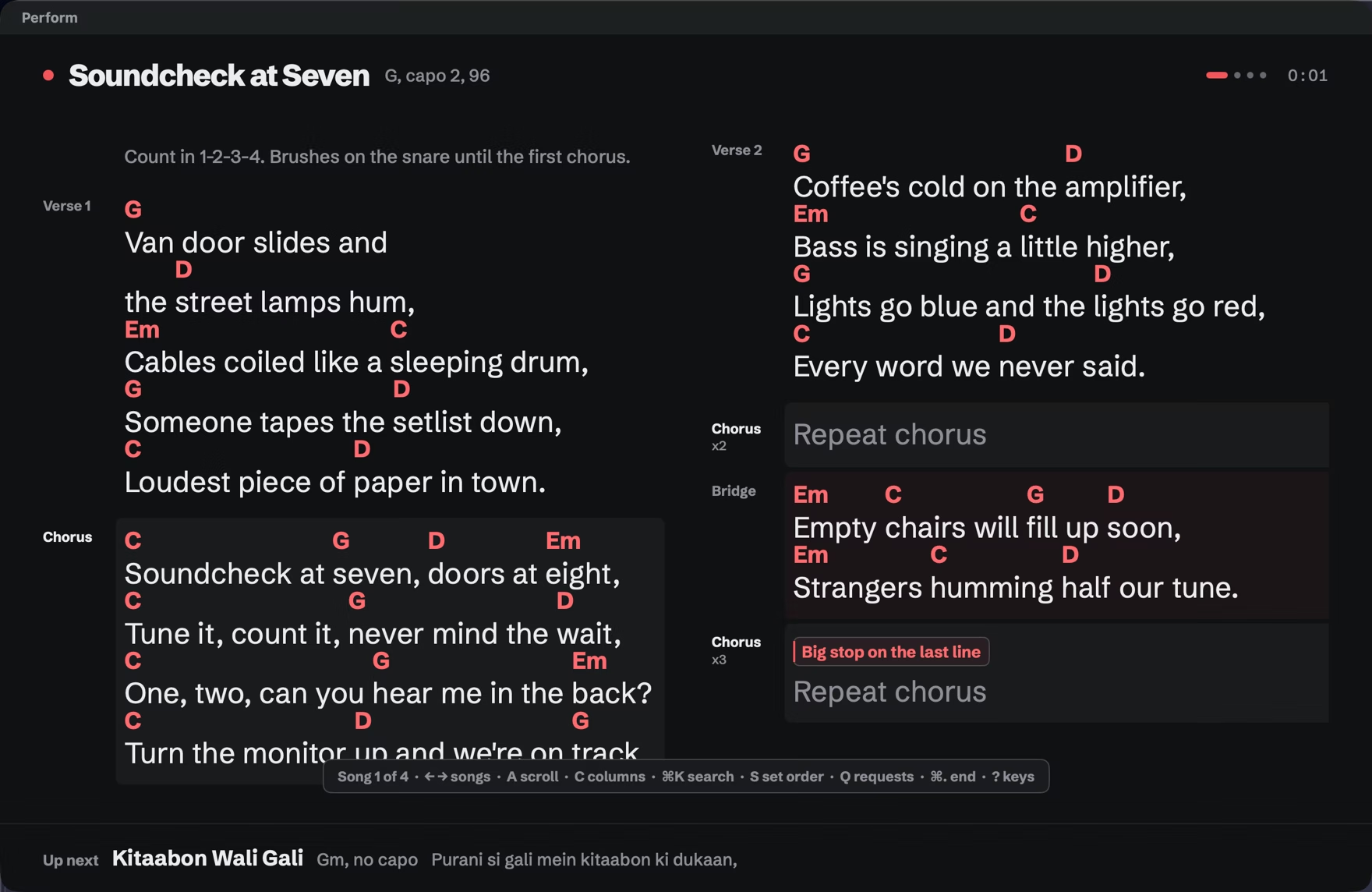
Stage mode is dark, full screen and built to be read from a stool. One pedal or the arrow keys run the whole set.
- Open the setlist and choose Setlist > Start Show (⌘↩).
- Check the short list under Before you start, then click Start Show.
- Play. → or Space is the next song, and ? shows every key.
Before you start
Section titled “Before you start”The checklist says whether the charger is connected and reminds you to turn the screen brightness up. If you’ve set up Gig Mode Shortcuts, a Focus row ticks once your Shortcut has run, and the metronome row turns its pulse on or off for this show. Hide any row for this show, or for good.

Move through the set
Section titled “Move through the set”→ or Space goes to the next song and ← to the previous one. Page Down scrolls down through the song, and at the end of the song the next press moves on to the next song; Page Up does the same backwards. So a page-turner pedal runs the whole set with no setup. ↓ and ↑ scroll a page within the song only, and Home goes back to the top.
Fit and the minimum lyric size
Section titled “Fit and the minimum lyric size”Segue fits each song to the screen. Set the smallest size you can read in Settings > Live, under Minimum lyric size. A song that doesn’t fit at that size scrolls instead of shrinking.
Auto-scroll
Section titled “Auto-scroll”Press A to start or pause auto-scroll, [ to slow it down and ] to speed it up.
Columns and zoom
Section titled “Columns and zoom”C cycles a song between automatic, one, two and three columns, and Segue remembers it for that song. ⌘+ and ⌘- zoom, ⌘0 returns to the actual size.
Breaks
Section titled “Breaks”At a break in the setlist, the stage shows which song the next part starts with. Press → to carry on.
Skip and reorder
Section titled “Skip and reorder”Press X to skip a song and S to see the set order, where you can drag songs and bring a skipped one back.
End the show
Section titled “End the show”Press ⌘., then Return to end or Esc to keep playing. The show goes into your gig log.
If Segue quits mid-show
Section titled “If Segue quits mid-show”If your Mac restarts or Segue quits during a show, Segue offers to resume it the next time it opens, at the same song and scroll position.